For a long time goodjob only really existed in a browser tab, somewhere behind the fourteen other tabs you had open. That's fine at a desk. It's less fine standing in the garage with greasy hands, trying to remember whether you actually logged that chain swap or only thought about logging it.
So now it installs. On your phone, goodjob.bike can sit on the home screen with its own icon and open full screen with no address bar hanging around. Nothing changes underneath — same site, same account, same data. It just stops making you go and look for it.
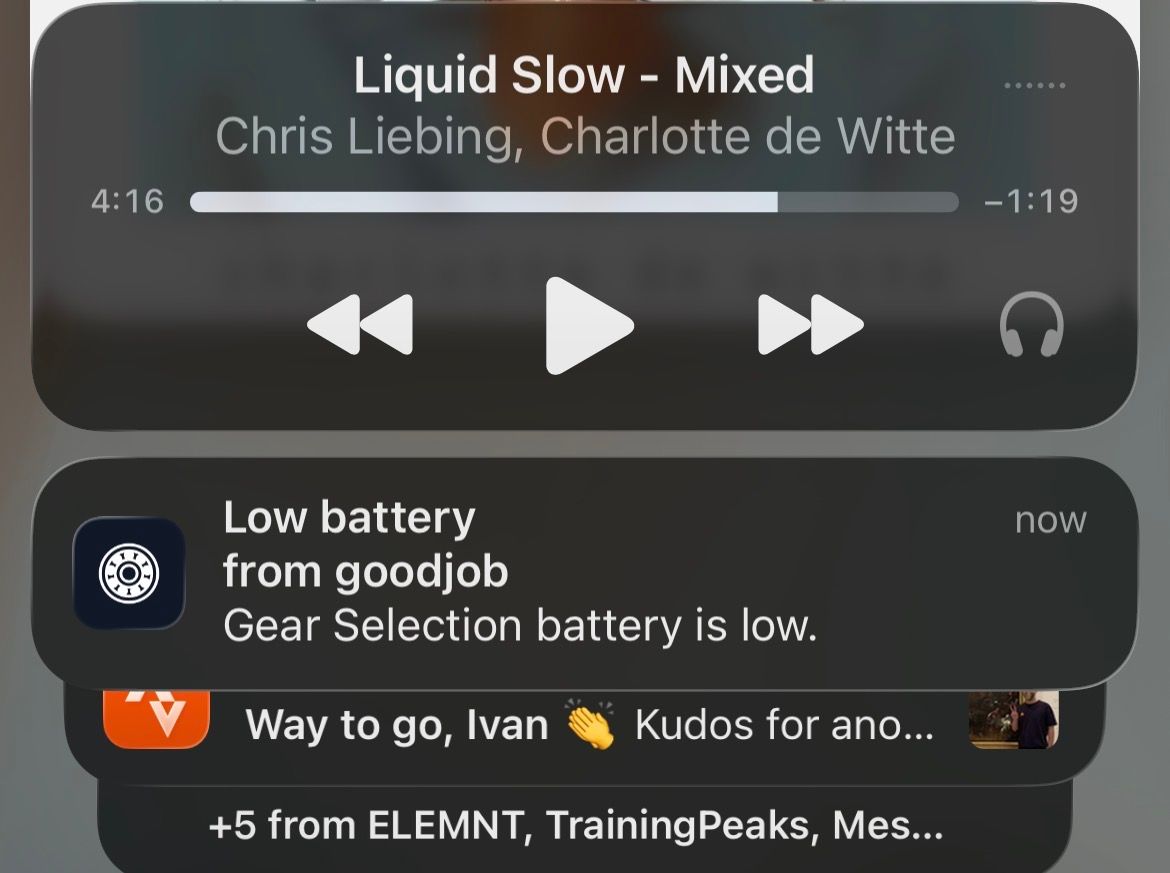
The part I actually care about is the notifications. Once it's installed you can switch them on from Profile, under Notifications, and from then on your phone will tell you when a reminder has lapsed or when a device's battery is running low. That's the entire list. Nothing else will ever reach you, because there's nothing else I'd want to send you.
That's also the bit that quietly decides how you install it. On an iPhone it has to be added from Safari — Apple has allowed web push since iOS 16.4, but only for apps that are sitting on the home screen, so the icon isn't decoration, it's the permission. Tap Share, then Add to Home Screen, and open goodjob from the icon rather than from the browser afterwards. Apple has written it up properly.
On Android there's less ceremony. Chrome will offer to add goodjob from the three-dot menu, and notifications work either way, though the installed version is still nicer to live with. Google's instructions are here.
One small thing worth knowing: notifications are granted per device, so a phone and an iPad each need switching on. Do that once, and then you can go back to forgetting about it entirely. Which is rather the point — the bike shouldn't need you to remember it.